Your Nonprofit Already Has a Free 990 Explorer Profile. Here’s How to Make It Count.
Estimated reading time: 25 minute(s)
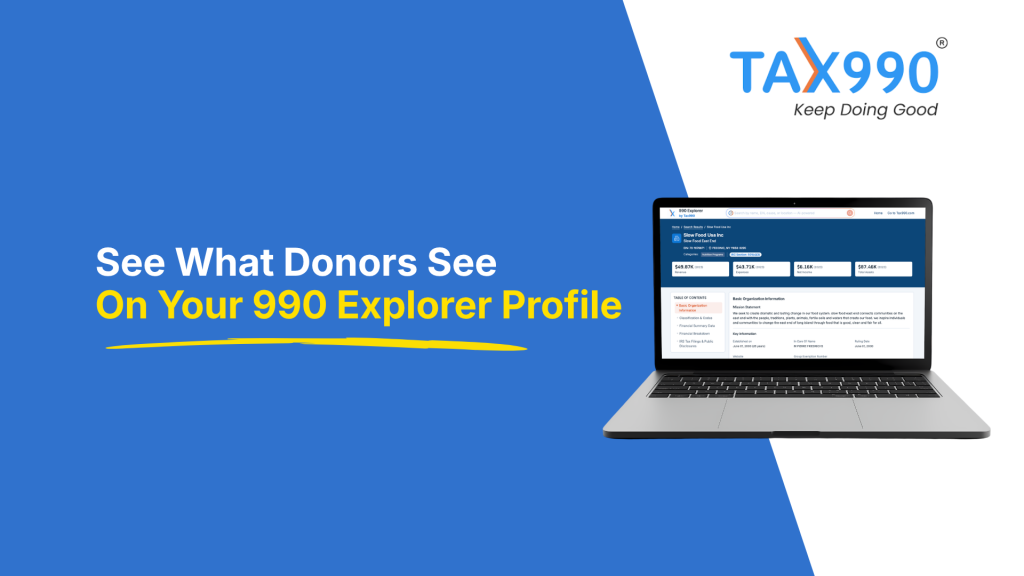
We built your organization a profile on the 990 Explorer, and it’s live right now. You didn’t have to set it up, claim it, or maintain it. It was assembled from your own Form 990 filings.
The 990 Explorer is a free nonprofit research platform that builds a profile for every tax-exempt organization in the IRS record, using that organization’s own Form 990 data. There’s no signup, no dashboard to keep current, and no premium tier that unlocks your own information.
That covers more than 1.9 million active organizations. Yours is one of them, and this is how to get the most out of it.
What’s Already on Your 990 Explorer Profile
Every profile opens with a table of contents, then works through the same sections in the same order. Here’s what a visitor actually sees.
Basic Organization Information. Your name, EIN, city, state, ZIP, and IRC section sit at the top. Below that: when your organization was established, the In Care Of name, your ruling date, your website, and your group exemption number if you have one. Your IRS determination letters appear here too, as downloadable PDFs.
Classification and Codes. Four fields that most organizations never think about: Subsection and Classification Code, Publication 78 Deductibility Code, Exempt Organization Status Code, and your National Taxonomy of Exempt Entities code. That last one matters more than it looks. Your NTEE code is what puts you in a cause category, so a code like O50, Youth Development Programs, is what lands you in front of a donor browsing youth organizations.
Financial Summary Data. Revenue, expenses, total assets, and total liabilities, pulled from your return.
Financial Breakdown. This is where it gets specific. A tax year selector lets a visitor move between filing years, and each year opens into three views. Revenue Breakdown lists your sources of revenue with each one’s percentage of your total. Expense Breakdown does the same by expense category. Assets and Liabilities shows the balance sheet.
The percentages are worth pausing on. A donor doesn’t have to do arithmetic to see what share of your revenue came from contributions versus program services, or what share of spending went where.
Compensation for Officers. A table listing each officer by name, average hours per week, and compensation. Every officer appears, including the ones paid nothing, which is often most of a small organization’s board.
IRS Tax Filings and Public Disclosures. Your filing history by year, showing how many filings you submitted each year, with a View Return link that opens the actual Form 990 the IRS processed.
If your exempt status was revoked, an Auto-Revocation List section appears with your exemption type, revocation date, revocation posting date, and reinstatement date if you have one. It’s displayed as plainly as everything else.
How Donors Find You There
This is where the 990 Explorer does something other tools don’t.
The IRS Tax Exempt Organization Search and ProPublica’s Nonprofit Explorer both assume the visitor knows which organization they want. You type a name or an EIN, and you get that organization. That’s useful for verification, and no help at all to someone who hasn’t decided where to give yet.
The 990 Explorer is built for that second person. Donors can filter by location, type of organization, exempt status, category, annual revenue, and total assets, then sort the results. They can browse 11 cause areas, including Environment, Health, Education, Food and Hunger, Animals, Arts and Culture, Housing, Youth Development, Disaster Relief, International, and Religion. There’s also a view of well-performing organizations near them.
The search accepts plain language rather than exact names, so it understands cause areas, locations, and impact descriptions. Someone can search for environmental organizations in California and get 471 results without knowing a single organization’s name.
That’s the practical gain for you. On most platforms, you get found by people already looking for you. Here, you can get found by people looking for the work you do.
Why Form 990-N Filers Get a Profile Too
If your organization files Form 990-N, this is the part worth reading twice.
ProPublica’s Nonprofit Explorer excludes 990-N filers entirely. The IRS lists them in a separate database that most visitors never reach. Candid’s free tier is thin on them. For the smallest organizations in the sector, which is most of them by count, the result has long been a gap where their public record should be.
The 990 Explorer includes Form 990-N filers alongside everyone else. A church, a volunteer-run food pantry, or a two-person arts organization gets the same profile treatment as a hospital system. We built it that way because a small budget isn’t a reason to be invisible to the people you serve. Our guide to looking up any nonprofit’s Form 990 compares all five free tools if you want to see how the coverage differs.
Can You Edit Your 990 Explorer Profile?
You don’t need to. Your profile maintains itself from your filings and IRS records, which means there’s no page to keep current and nothing to re-upload each year.
What appears is determined by what you file and what the IRS has on record for you. More of that is in your hands than it first looks.
| What’s on your profile | What shapes it |
| Revenue, expense, and asset figures | What you report on your return |
| Revenue and expense percentages | How you classify each line |
| Officer names, hours, and pay | Your Part VII, Section A listing |
| NTEE category | Your IRS classification, which drives cause browsing |
| Website and In Care Of name | Your IRS record |
| Exempt status | Whether you’ve filed for three consecutive years |
| The full return | Everything you wrote, Part III included |
The two worth attention are the ones organizations tend to treat as clerical. How you classify revenue and expenses becomes the percentage breakdown a donor reads at a glance. And your NTEE code decides which cause category you appear in when someone browses rather than searches, which is the difference between being findable and being invisible to a donor who doesn’t know your name yet.
Why Your Profile Matters to Donors
The Give.org 2026 Donor Trust Report surveyed more than 1,500 U.S. adults. Close to 68 percent said trusting a charity is essential before they’ll give. Only about 18 percent reported high trust in charities generally.
That gap is your opening. Donors want a reason to trust your organization, and a clear, current public record is one of the few ways to give them one before you’ve ever spoken.
When they go looking for that reason, 54 percent turn to charity websites and 39 percent turn to third-party monitors. Another 7 percent now rely on AI summaries, which are themselves assembled from published filing data. Grantmakers run a more thorough version of the same review, as our breakdown of what funders look at before awarding a grant explains.
Instant Transparency for the Good You Do
Here’s the part of your profile you can improve right away, and the reason where you file makes a difference.
Under Internal Revenue Code Section 6104(d), your return is public the moment it’s filed. Public and visible are two different things. The IRS accepts an e-filed return within about a day, then takes considerably longer to release it into the public dataset. Tax Exempt Organization Search and the 990-series bulk files update monthly, and the IRS currently warns of further delays on paper-filed returns.
Add a filing deadline that already falls months after your fiscal year closes, and the Library of Congress nonprofit research guide puts the total lag at 12 to 18 months from fiscal year end to the most recent form available online.
That means the program you launched last year, the grant you landed, and the leader you just hired are all waiting their turn to be seen. It also means your most recent tax year may be missing entirely from the year selector on your own profile.
When you e-file through Tax990, that wait goes away. Once the IRS accepts your return, we publish it to 990 Explorer right away rather than waiting on the IRS release cycle. Your profile reflects the year you just closed, and your donors and community get to see the good you’re doing now instead of the version from two years ago.
Your Profile Is a Link You Can Send
Open 990 Explorer, search your organization by EIN, and copy the URL. That link is a shareable page about your organization that you didn’t have to build.
For a lot of small organizations, that matters more than it sounds. If your nonprofit runs on a volunteer board and a Facebook page, this may be the only page about you that a stranger can pull up, read, and verify. It’s free, it doesn’t expire, and you don’t have to maintain it.
Places that link earns its keep:
- In donation appeals and year-end letters, as a line like “see our finances and filing history on 990 Explorer”
- In your email signature, so every message you send carries proof you’re a real, filed, recognized organization
- In grant applications, alongside the determination letter you can download straight from your own profile
- When recruiting board members, who often want to see the numbers before they say yes
- On printed materials or a QR code at events, where you need one short link rather than a packet
Your 990 Explorer profile is assembled from what you filed with the IRS, which is exactly the kind of independent confirmation the 68 percent looking for a reason to trust you are trying to find.
Ready to file?
Tax990 supports the full Form 990 series with a guided workflow, built-in error checks, and free retransmission of rejected returns. Every return is backed by the Tax990 Commitment, and Protection Plus audit defense is included automatically at no additional cost.
Create your free Tax990 account or see transparent Form 990 pricing.
Leave a Comment