

How to File Form 990-EZ Online in 2026
Estimated reading time: 14 minute(s)
For most mid-sized nonprofits, Form 990-EZ is more than just a form! It’s a key document to maintain tax-exempt status while keeping the operations running smoothly. Designed for organizations with gross receipts under $200,000 and total assets under $500,000, it provides a simplified yet comprehensive reporting method for the IRS.
Since the IRS mandated e-filing for all Form 990-EZ submissions in 2020, it has become essential for nonprofits to rely on efficient, reliable solutions for the filing process. Whether you’re filing for the first time or are a seasoned pro, understanding the process is key to staying compliant and avoiding penalties.
In this guide, we’ll walk you through each step of filing Form 990-EZ online with Tax990, giving you the confidence to navigate the process with ease.
The essential information you need for filing
Before starting your Form 990-EZ filing, it’s important to gather the necessary data. Here’s what you’ll need:
- Basic Organizational Info: This includes your EIN, legal name, address, and tax year.
- Financial Details: You’ll need to report your total revenue, total expenses, and total assets. Make sure to include detailed breakdowns of your income sources, such as donations and program revenue.
- Governance Info: The IRS requires details about your board of directors and key employees, including compensation and any related policies.
- Other Key Information: You must provide your public charity status, tax-exempt classification, and a brief overview of your program accomplishments.
Step-by-step guide: Filing Form 990-EZ online
Filing your Form 990-EZ with Tax990 is simple, efficient, and tailored to the unique needs of nonprofits. Create a free account with Tax990 and follow these steps:
1. Add organization
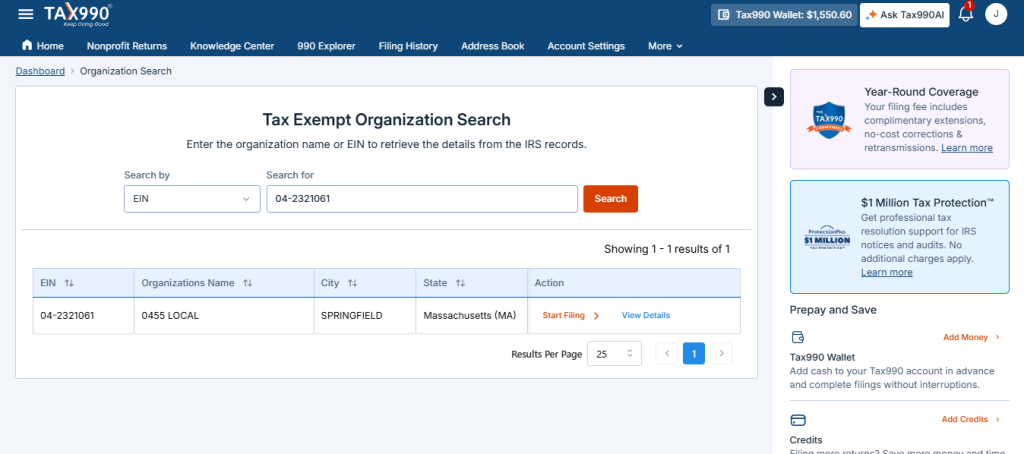
Log in to your Tax990 account and search for your organization by EIN or name. Tax990 will automatically pull the necessary details from the IRS, saving you time. If your organization isn’t found, you can easily enter the information manually.
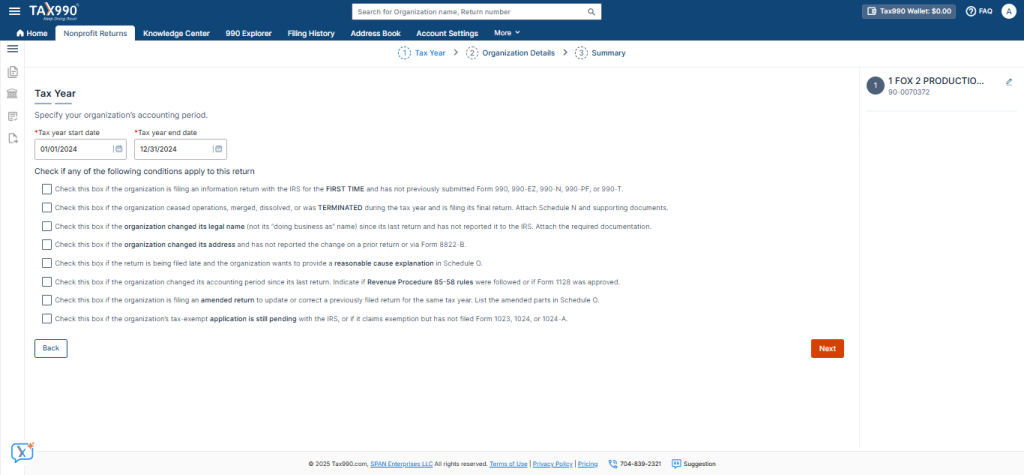
2. Choose tax year
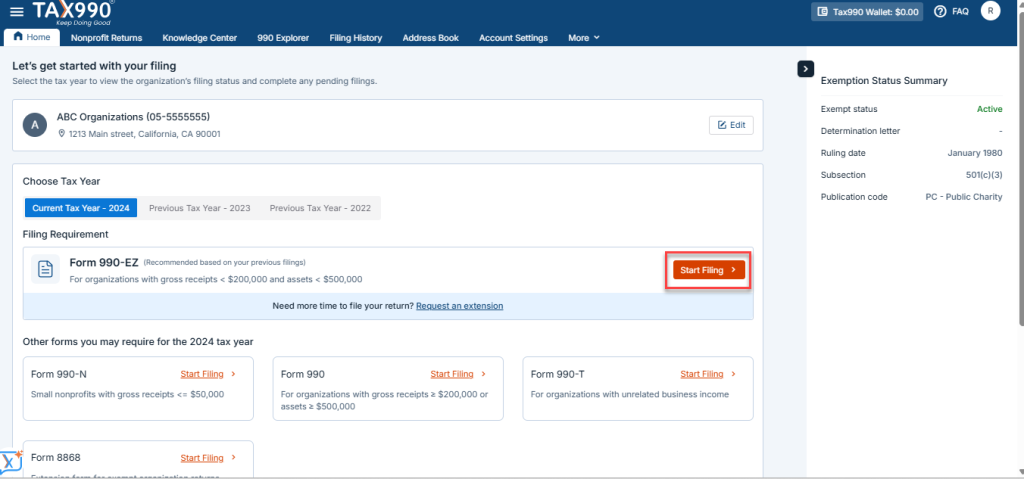
Select the tax year for which you’re filing Form 990-EZ. Tax990 allows you to file for the current tax year or up to two prior years.
If your nonprofit’s filing requirements have changed (for example, if your revenue or assets have increased), you may need to file the full Form 990 instead. Tax990 provides the flexibility to switch and file the correct form based on your requirements.
3. Choose filing method
Tax990 offers two convenient methods for filing:
Form-based filing: This method lets you enter the required information directly into the Form 990-EZ. Tax990 also allows you to copy data from prior years, making the process faster. This option is ideal for more experienced filers familiar with the form’s structure.
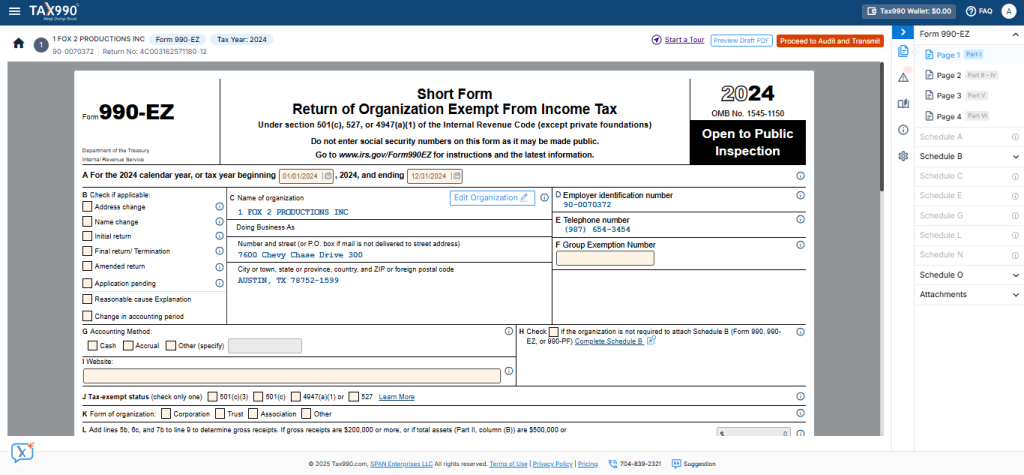
Interview-based filing: This option is ideal for first-time filers or those who prefer a step-by-step guide. Tax990 walks you through the process with simple questions and helps you fill in each section of the form.
4. Review your form
Once you’ve filled out the form, take time to review it. Tax990 provides an overview of all the information, making it easier for you to spot any errors. This is your final chance to ensure everything is correct before moving forward.
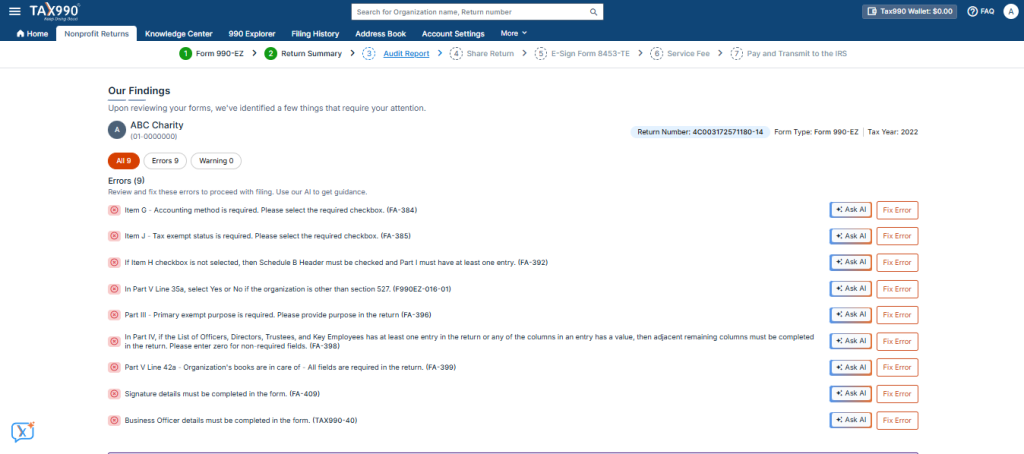
5. Complete error check
Tax990’s built-in validation checks automatically review your form for errors or missing information. If anything is flagged, you’ll be prompted to fix the issue before proceeding. This feature ensures your form meets IRS standards and prevents costly mistakes.
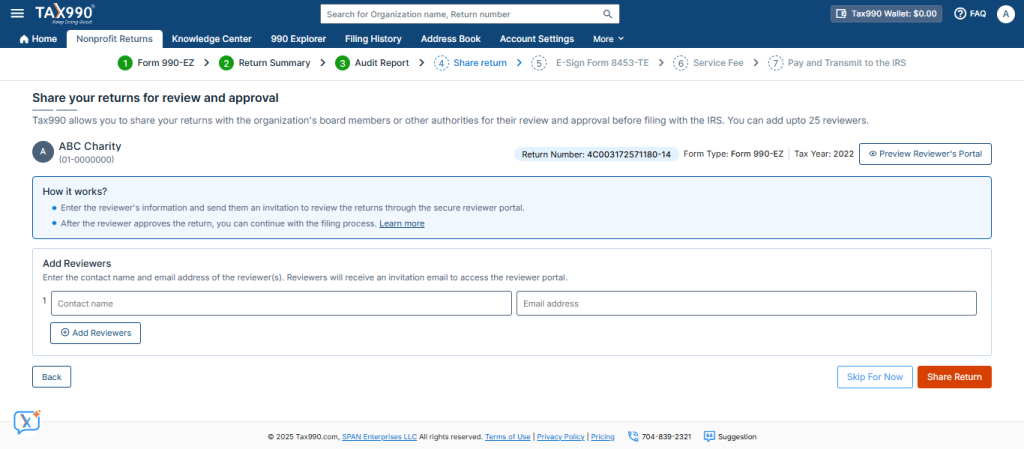
6. Share return for review (Optional)
While not mandatory, it’s a good practice to share your form with board members or other stakeholders before submission. Tax990 makes this easy by allowing you to invite the reviewers and enable them to review and approve the form in a secure online portal.
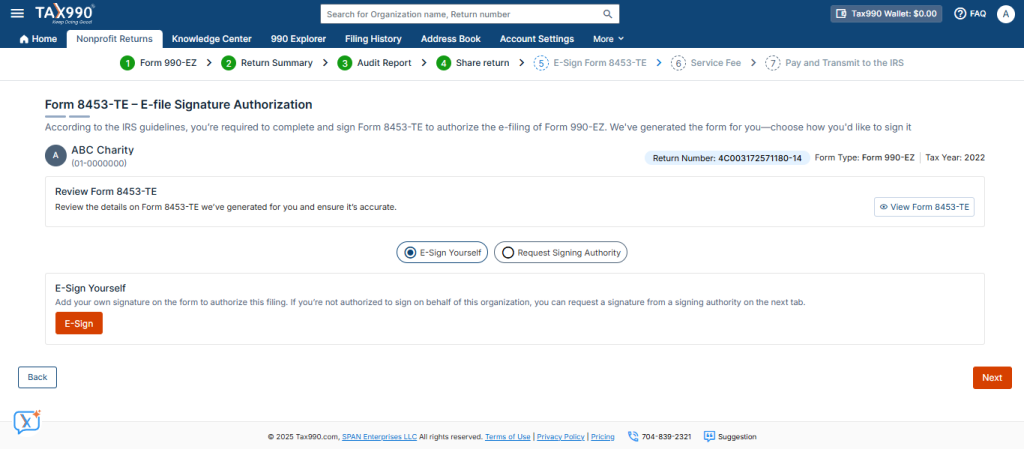
7. Add e-signature
Once your form is complete, you’ll need an e-signature. Tax990 generates the e-signature form (Form 8453-TE), which can be signed electronically by you or another authorized person in your organization. The IRS accepts this e-signature as part of the e-filing process.
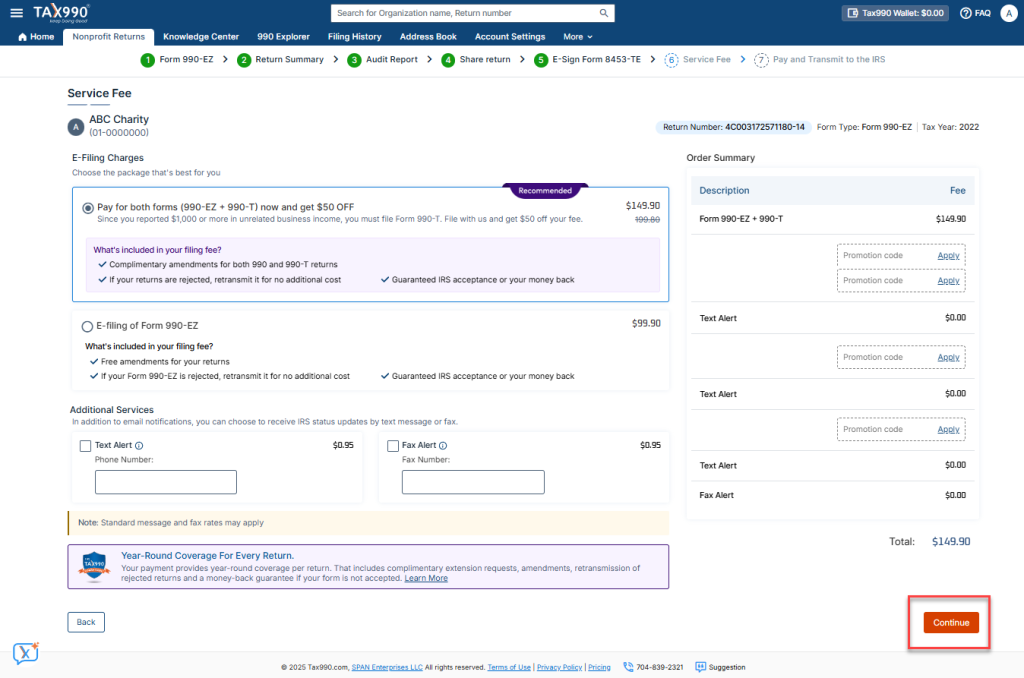
8. Submit form to the IRS
After reviewing your form and completing the e-signature, click “Submit” to send your Form 990-EZ directly to the IRS. Tax990 ensures your submission is sent securely, and you’ll receive an acknowledgment from the IRS once it’s successfully filed.
Leave the rest to Tax990 and focus on your mission
Our support doesn’t end at submission. With Tax990, you can rest easy knowing that we’ve got you covered every step of the way. If your Form 990-EZ is rejected, we offer free retransmissions, so you won’t incur any additional charges. Plus, with no-cost amendments under The Tax990 Commitment, you can make updates without worry.
And with Protection Plus, you’ll have up to three years of coverage for any IRS audits or notices, ensuring peace of mind long after your filing is complete.
So, focus on what matters most—your mission—and leave the complexities of tax filing to us. Tax990 is here to help you stay compliant, accurate, and stress-free.


Leave a Comment