

Form 990 Filing Made Simple: A Step-by-Step Guide Using Tax990
Estimated reading time: 14 minute(s)

If you run or manage a tax-exempt organization, Form 990 is one of the most important documents you’ll file each year. It’s not just a tax form, it’s your organization’s public financial report. Missing or filing incorrectly can put you at risk of penalties and cost your organization its tax-exempt status. With Tax990, the process is far more manageable than it looks.
What is Form 990?
Form 990 is the annual information return required by the IRS for most tax-exempt organizations under Section 501(c). Unlike a standard tax return, it’s designed to provide transparency to show the public and the IRS how your organization earns and spends money, who leads it, and whether it’s fulfilling its stated mission.
The form comes in five variants depending on your organization’s gross receipts and total assets:
| Form 990 Receipts ≥ $200,000 or assets ≥ $500,000Smaller organizations may opt for the Form 990 for more transparency into their financials. | |
|---|---|
| Form 990-N (e-Postcard)Gross receipts ≤ $50,000 | Form 990-EZ Receipts < $200,000 & assets < $500,000 |
| Form 990-TUnrelated business income tax ≥ $1,000 | Form 990-PF Private foundations (all sizes) |
Note: Filing the wrong version of Form 990 for your organization size is a common mistake. Tax990 automatically recommends the right form based on your financial data so you never have to guess.
Understanding Key Parts of Form 990
The full Form 990 has 12 parts (I through XII) plus up to 16 schedules. Here’s what each section covers.
Part I: Summary
High-level snapshot: mission statement, governance numbers, revenue, expenses, and net assets.
Part II: Signature Block
Officer certification that the return is accurate and complete.
Part III: Statement of Program Service Accomplishments
Describe what your nonprofit actually did during the year.
Part IV: Checklist of Required Schedules
Determines which additional schedules (A-R) you must attach.
Parts V-VI: Tax Compliance and Governance
IRS filing obligations, conflict of interest policies, and board oversight.
Part VII: Officers and Key Employees
Compensation details for directors, officers, and highly paid staff
Part VIII – X: Financial statements
Revenue, expenses, functional expense allocation, and balance sheet.
Parts XI – XII: Reconciliation & Financial Statements
Net asset changes and whether audited financials were prepared.
Step-by-Step: How to File Form 990 with Tax990
Tax990 is an IRS-authorized e-file provider built specifically for nonprofits. Here’s how the process works from start to finish. For a detailed demonstration, watch the video linked here.
Step 1: Create your Tax990 account
Sign up at Tax990.com and enter your organization’s basic details (EIN, legal name, address, and tax year). The platform will automatically determine which version of Form 990 is appropriate for your organization based on the information you provide.

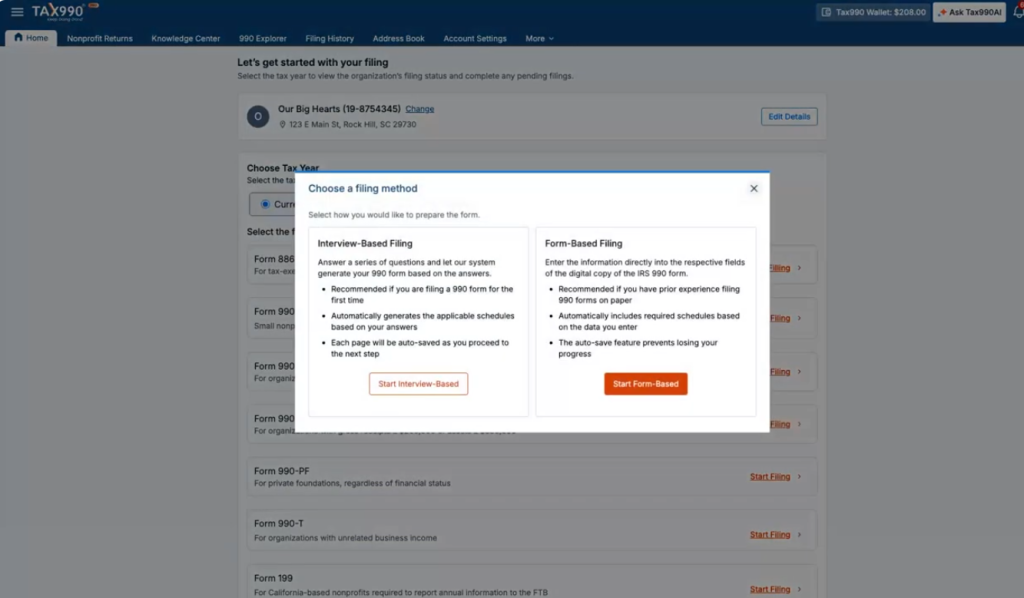
Step 2: Choose Your Filing Method
Tax990 offers two ways to complete your form: (a) answer an interview-style questionnaire and let the platform build the form for you, or (b) enter data directly into the form fields if you prefer a hands-on approach. Either way, built-in error checks flag issues before you submit.
Step 3: Complete Each Part of the Return
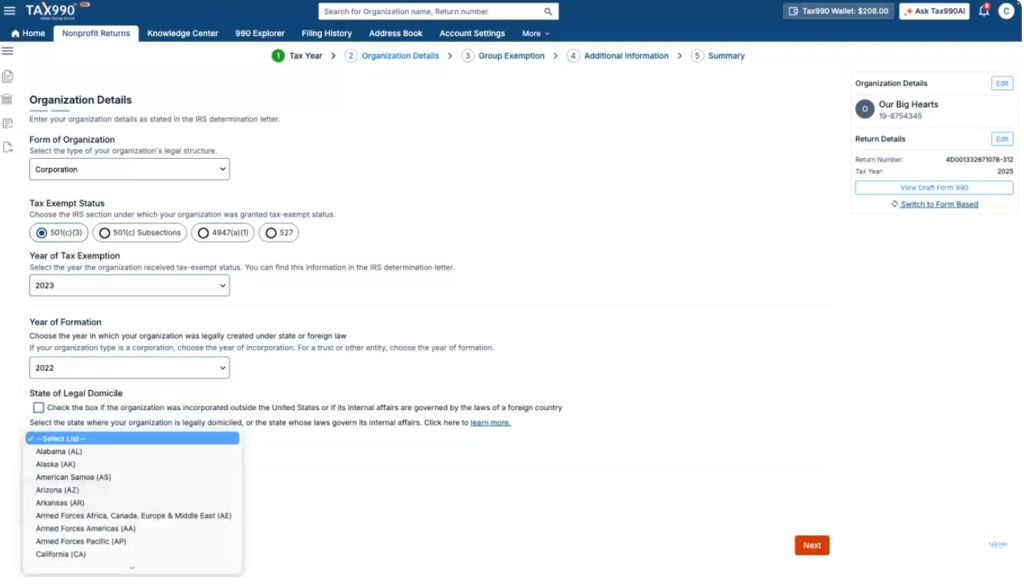
Work through the form section by section: mission statement and governance data in Parts I-VI, compensation details for officers in Part VII, then the financial statements in Parts VIII-XII. Tax990 provides guidance and tips for every line that commonly causes confusion.
Step 4: Attach Required Schedules
Based on your answers in Part IV, the platform automatically identifies which schedules you must complete. It then presents only those schedules, so you won’t have to sort through irrelevant sections or accidentally miss a required attachment.
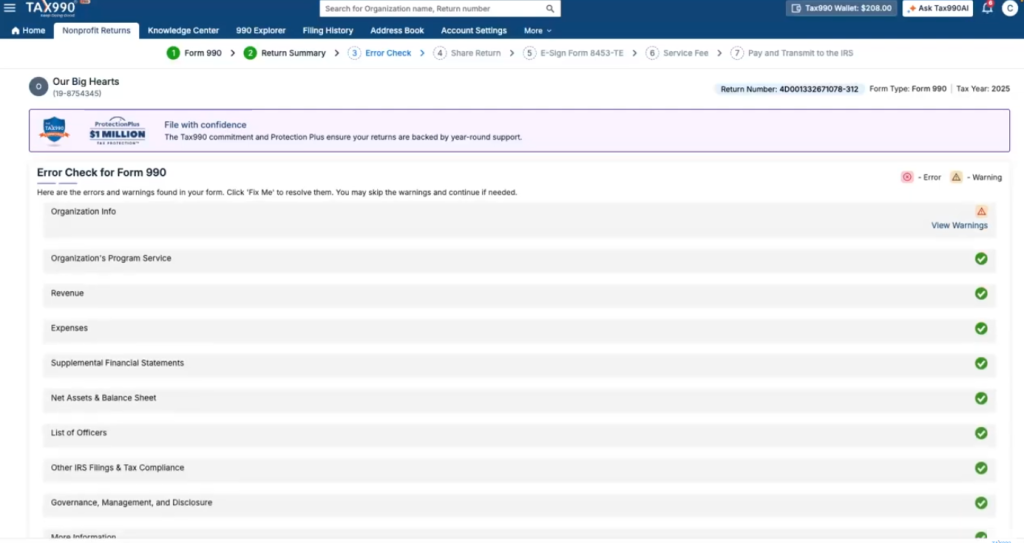
Step 5: Error Check
Run the built-in diagnostic check, which scans for math errors, missing fields, and IRS business rules. With every error addressed, your form will be complete, compliant, and ready for smooth acceptance.
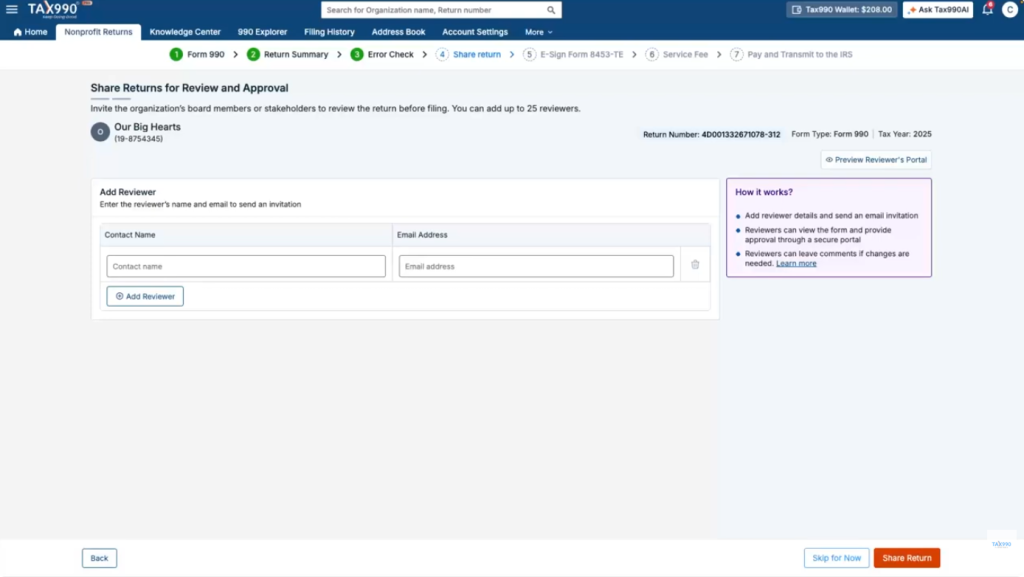
Step 6: Share Return for Review
After completing your returns, you may need to obtain approval from the board members or higher authorities of your organization. Tax990 enables you to share the completed form electronically with your organization members and let them review and approve the return before transmission.
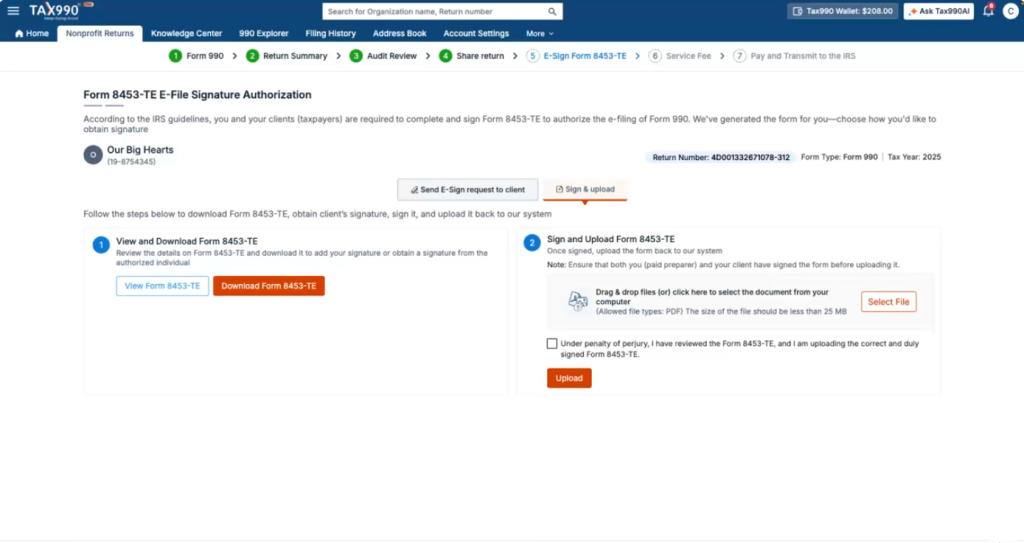
Step 7: E-sign and Transmit
Once you’re satisfied, an authorized officer approves the return with an electronic signature and Tax990 transmits it directly to the IRS. You’ll receive an email confirmation with your filing status.
The Tax990 Commitment: File with Confidence
Filing Form 990 accurately and on time is one of the most important responsibilities your nonprofit carries, and Tax990 doesn’t just help you complete the form, it stands behind every return you submit. The Tax990 Commitment is built around one simple promise: your Form 990 will be accepted by the IRS, or we’ll make it right for you. Learn more about what The Tax990 Commitment offers here.
Join thousands of nonprofits that trust Tax990 and get started filing now!
Leave a Comment